Recognition
AI Card Scanner.
Point a camera. Scrytics identifies any Magic card in under a second — every set, every finish, every language.
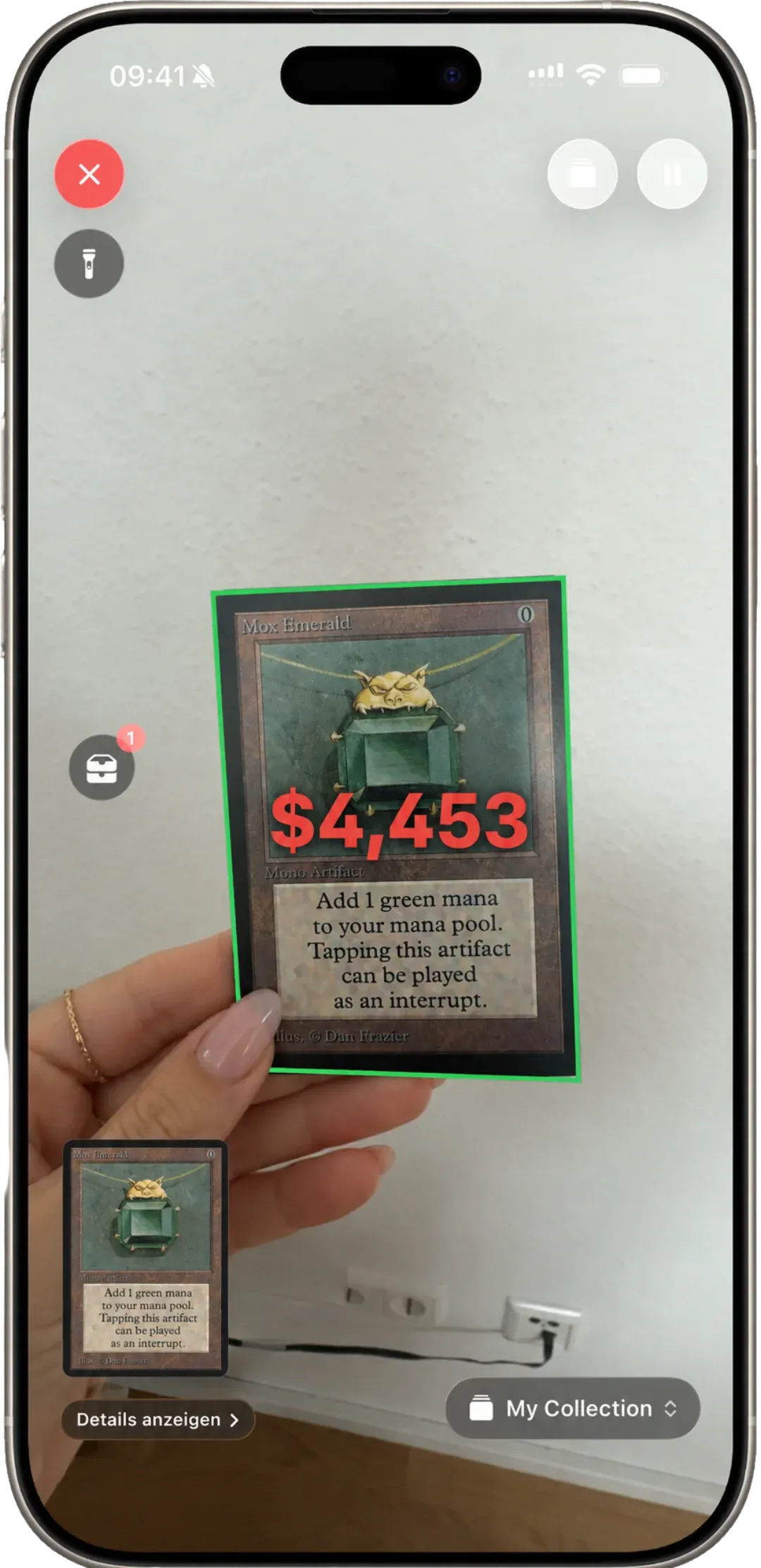
The scanner runs entirely on-device. A trained vision model recognises the card by frame, art and symbol, then matches it against all 100,000 printings in the catalog. No network roundtrip, no screenshot upload, no queue.
Works on foils and holographic cards — the recognition pipeline was trained specifically on glare and specular highlights, not just flat scans. It handles sleeved cards, dim lighting, and cards photographed at an angle.
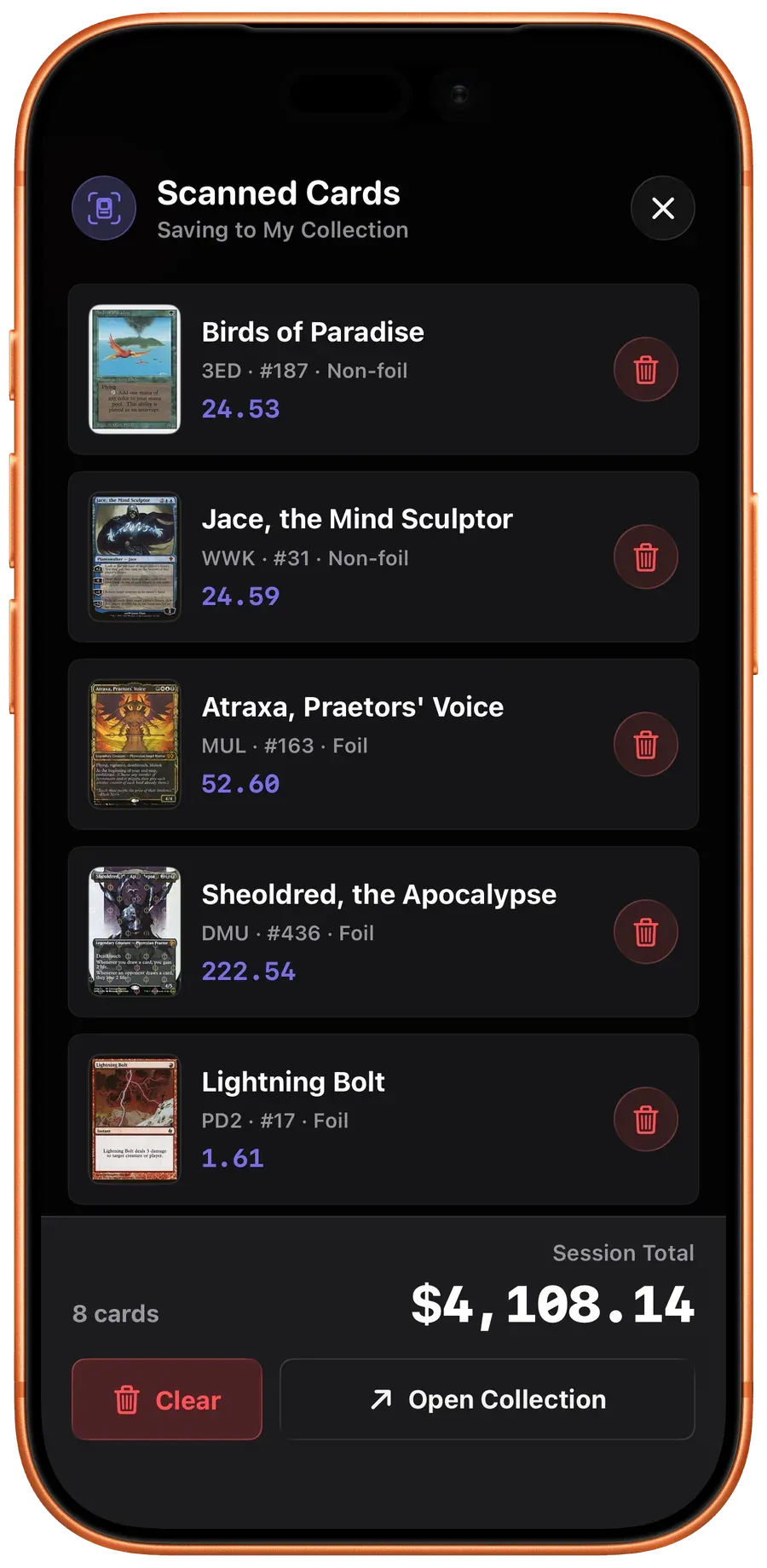
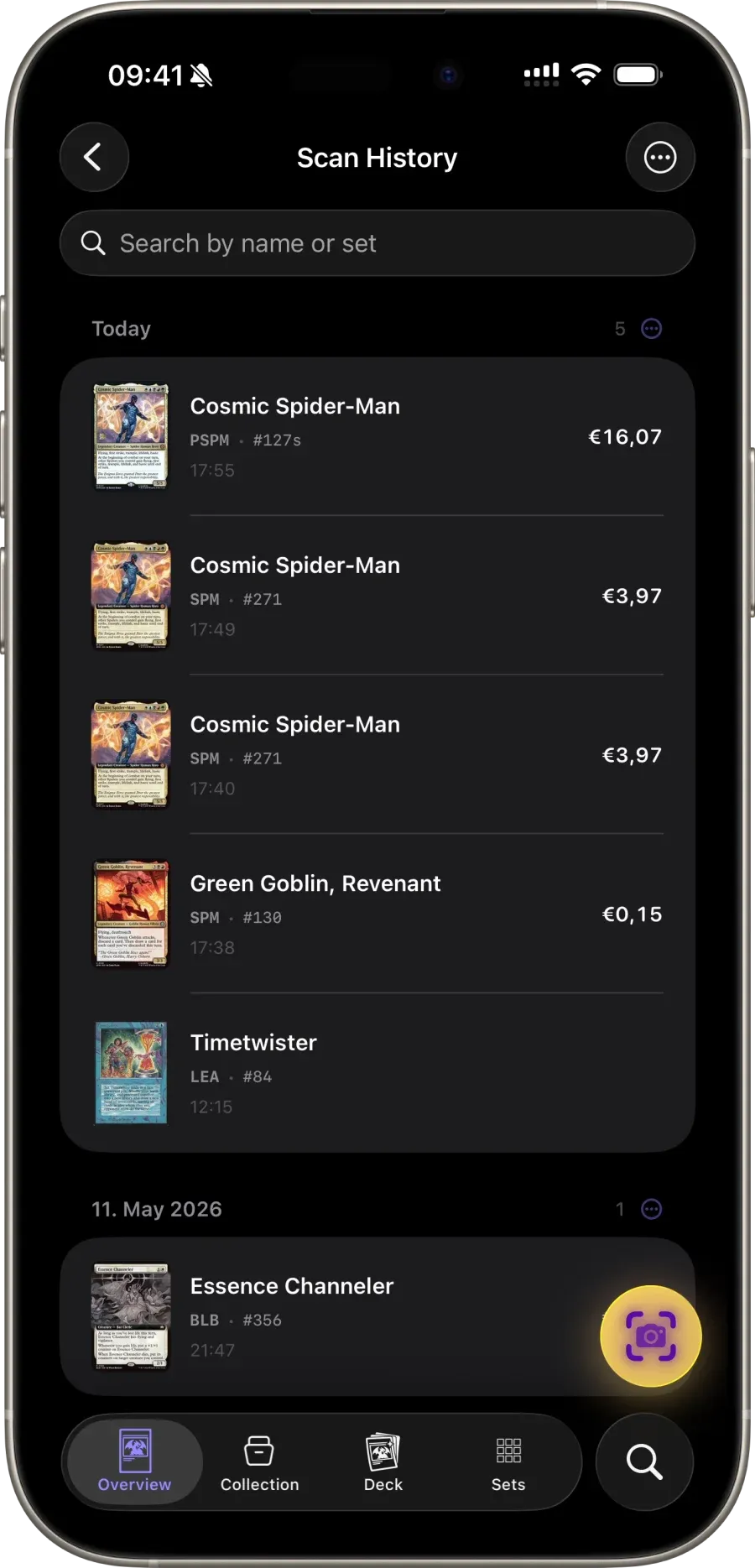
Continuous scan mode is built for sorting large piles. Hold the camera over a stack and each recognised card is added to a session you can review and dump into a collection in one tap. Hundreds of cards in a few minutes.
The scanner runs entirely offline once the catalog is synced, which makes it usable at GP halls, LGS tournament tables and draft events with patchy signal.
In detail
Sub-second recognition
On-device ML identifies the card before you finish lining it up.
Every printing
Scanner disambiguates between sets, collector numbers and art variants automatically.
Foils, promos, sleeves
Trained on foil glare, etched patterns and promo stamps — not just flat scans.
Offline-first
Runs without signal. Scan at events, GPs, or your basement LGS.
Continuous scan
Sort stacks of 200+ cards in one session without tapping once.
Foreign-language detection
Recognises non-English printings and links back to the English oracle.
Common questions
About ai card scanner.
Can Scrytics scan Magic cards on an iPhone?
Yes. Scrytics uses the iPhone camera to identify Magic: The Gathering cards and lets you review the exact printing before adding it to a collection.
Does the MTG scanner work offline?
Card recognition runs on the device. After the card catalog has synced, scanning does not require a network connection.
Can I scan several cards into one collection?
Yes. A scan session keeps recently identified cards together so you can review them and add the batch to a collection.